Lexino App
Helping dyslexic children take notes
Designing a tool to help Dyslexic children follow class lectures the same way their friends do.
Client
–
My Role
UX Design Interaction Design User Research
Project Type
Accessibility Design
Collaborators
-
Creating Equality For Dyslexic School Children
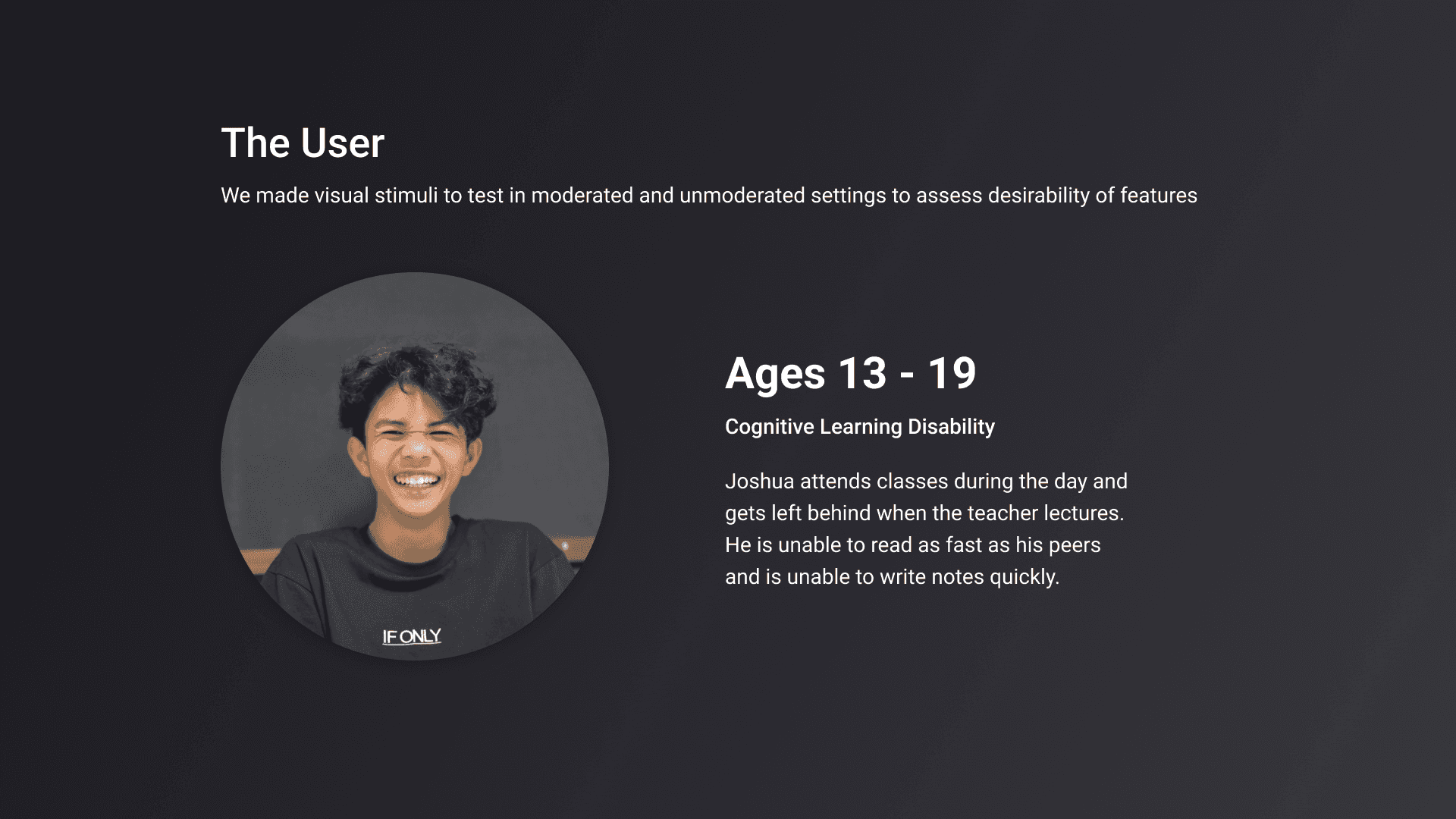
Dyslexia is a cognitive learning disability where the brain has difficulty with phonological processing, or translating words into sounds. As a result, reading becomes difficult. Dyslexic school children are specifically at a disadvantage when it comes to class lectures.
Problem Statement
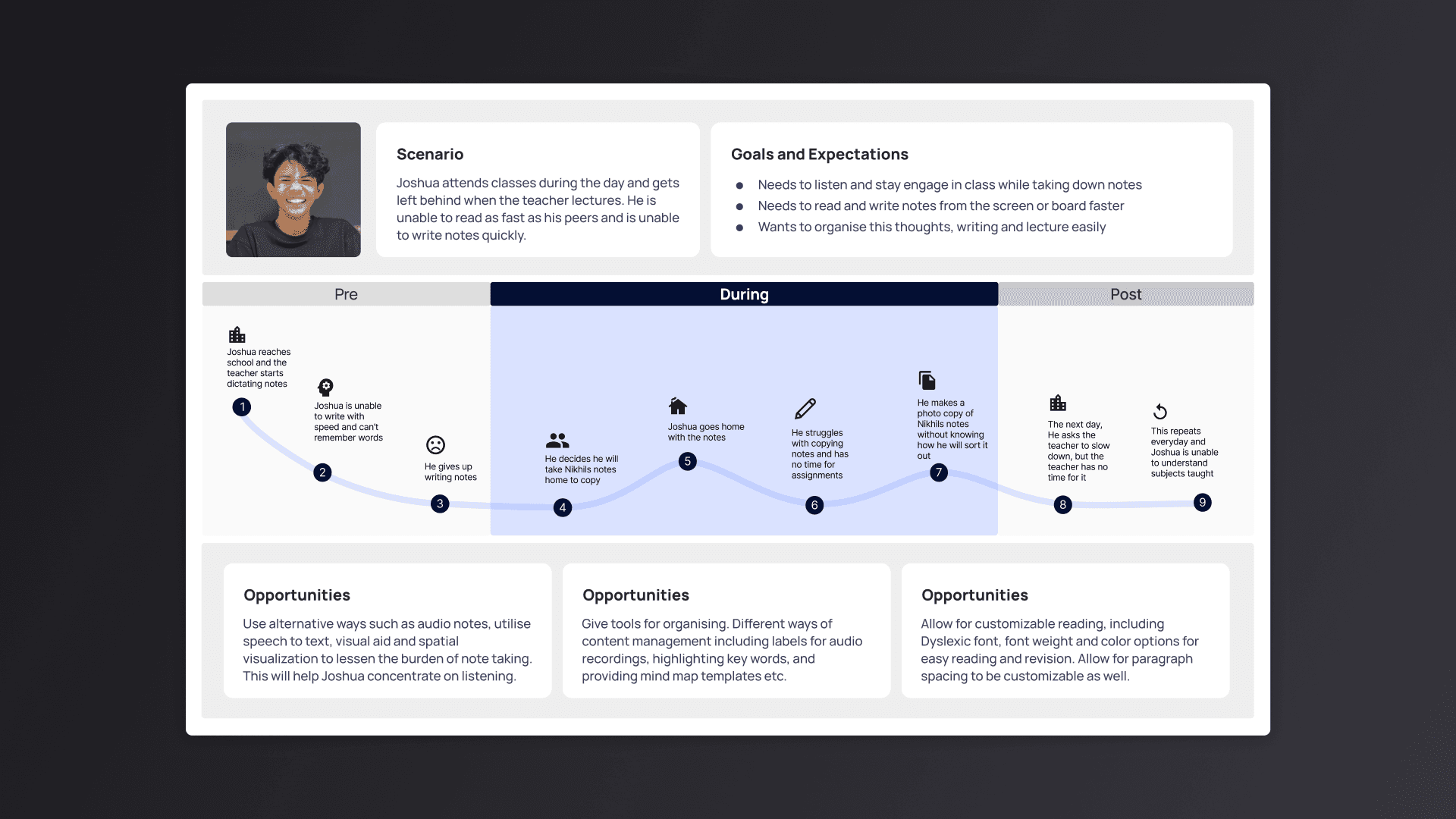
How might we help dyslexic school children retain information and take better notes during classes in an organized way that can be reviewed later.
Solution
Dyslexia school children have difficulty taking notes the conventional way. Audio notes with recording will allow children to focus on the live lecture and be engaged, instead of struggling to keep up with writing, spelling, hearing and reading things on the board. Speech recordin and processing for retrieving data can help ease the learning process for Dyslexic children.
Challenges and Problems
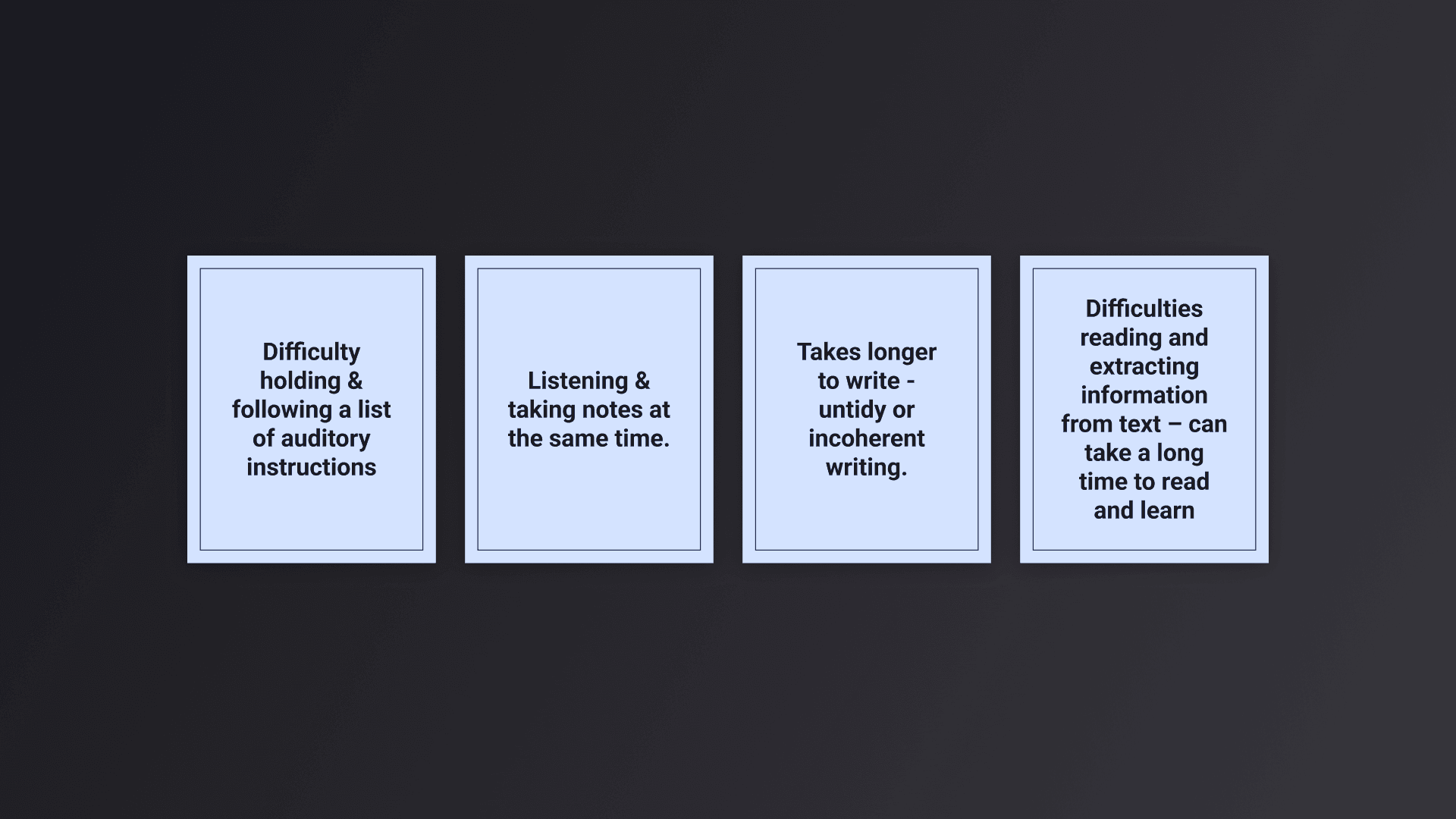
Dyslexics experience different levels of disability including these challenges
User Journey
Problem Statement
How might we help dyslexic school children retain information and take better notes during classes in an organized way that can be retrieved later.
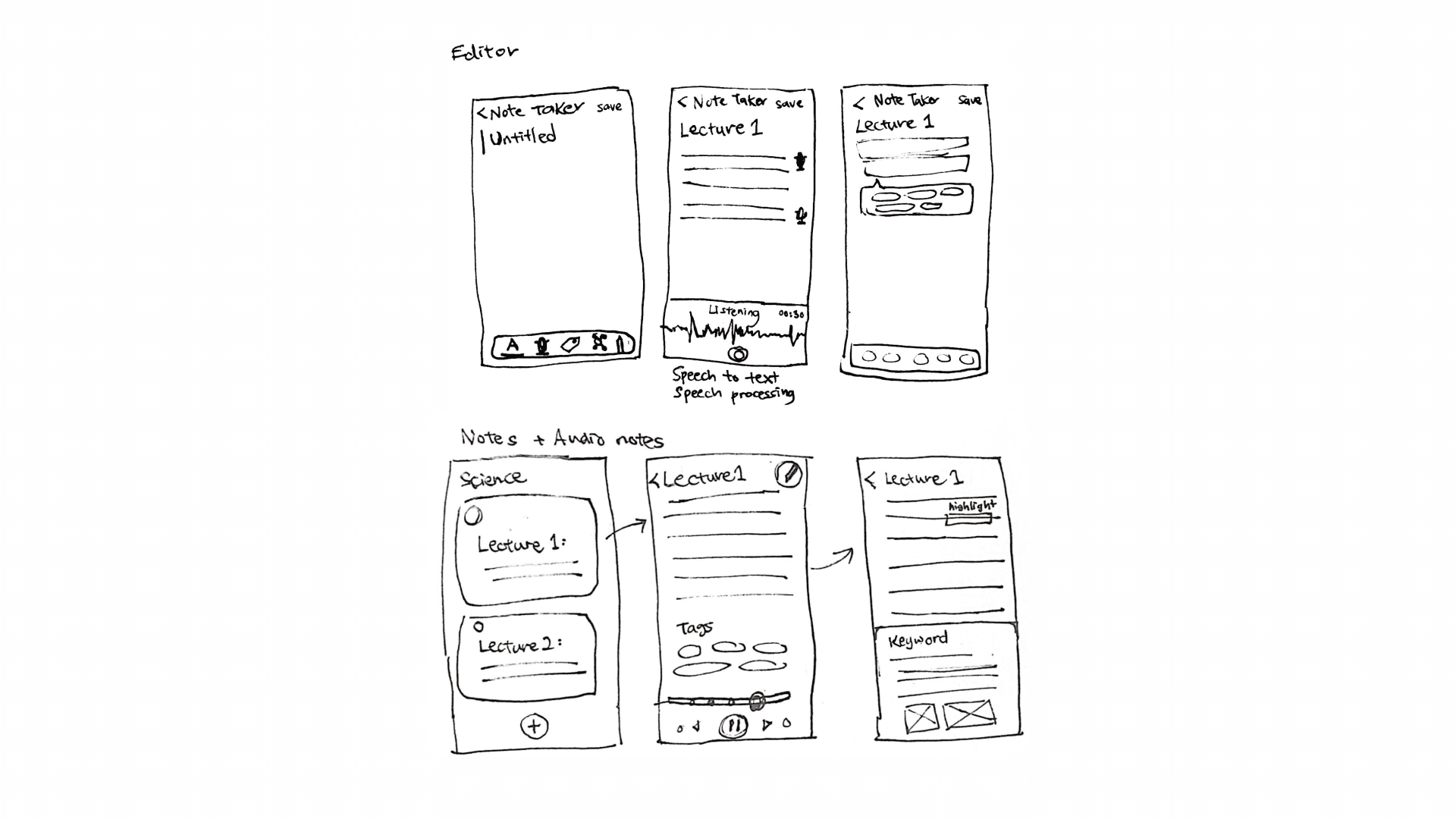
Designing for Accessibility
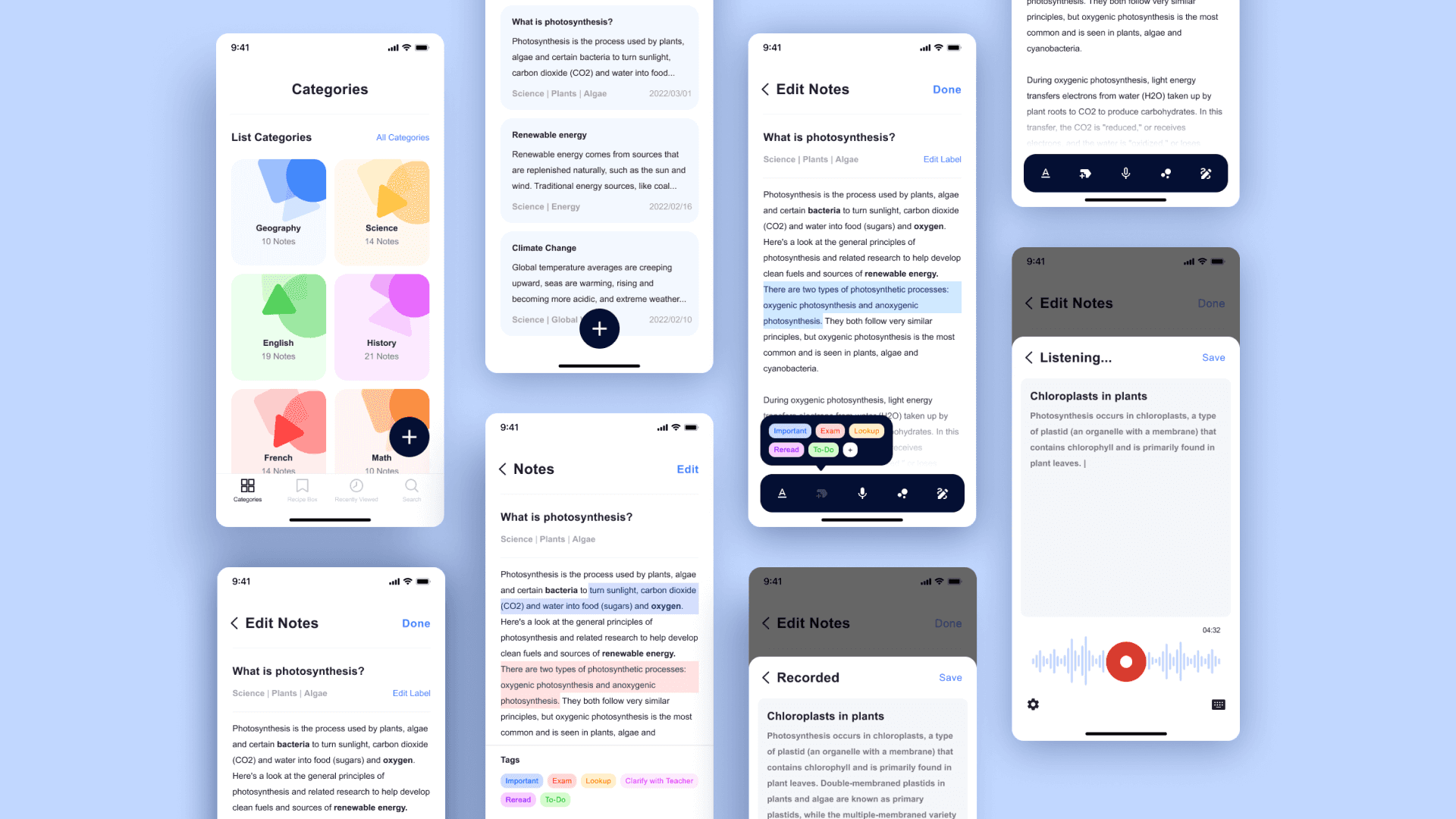
An application to make lectures and note taking more accessible and an easier experience for Dyslexic students by providing content management for smart study. A new way of generating, storing and retrieving content.
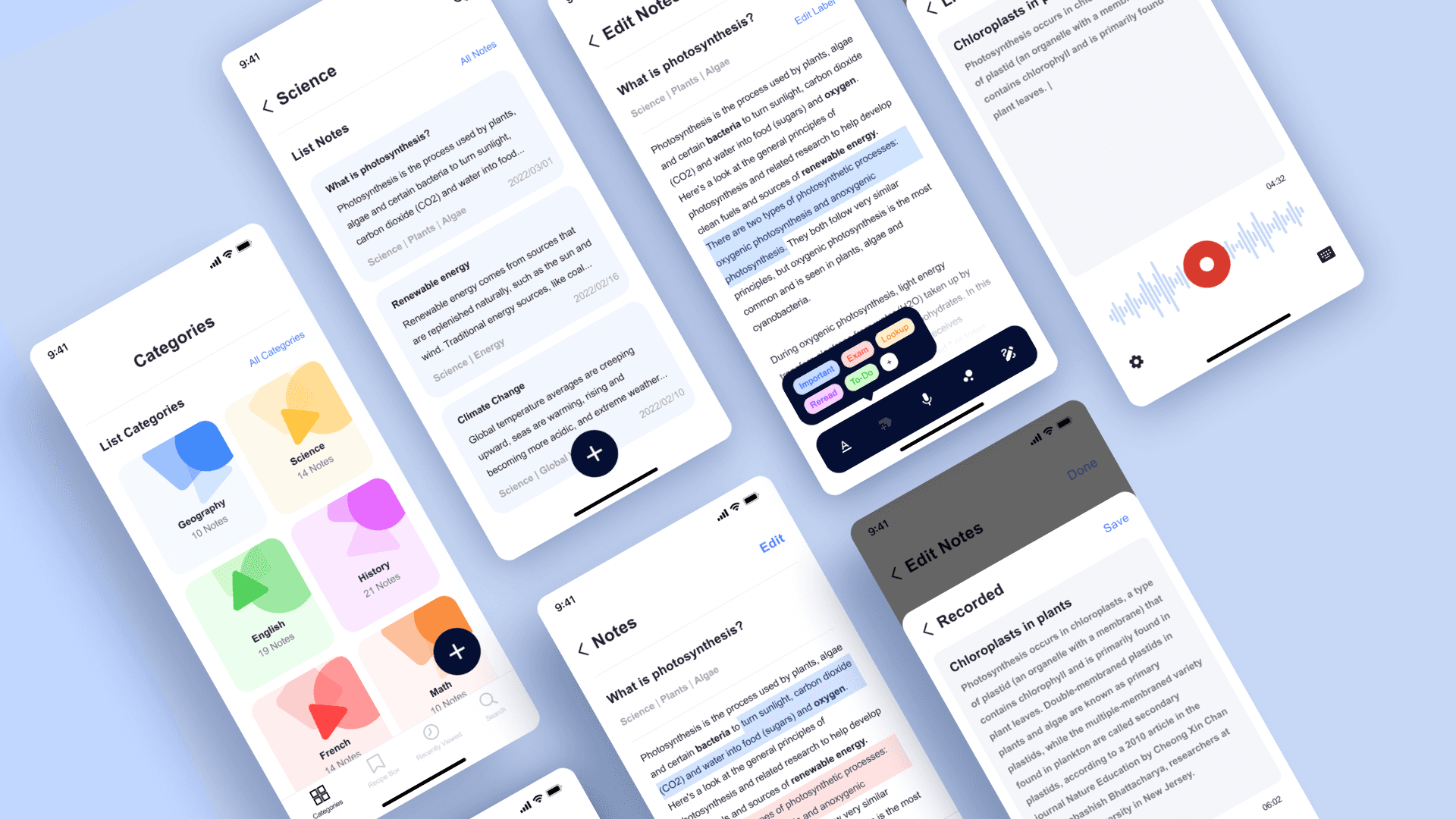
Content Management & Categorization
Dyslexic students are often untidy with notes, the application helps students organize sets of audio notes based of categories of subjects taught at school.
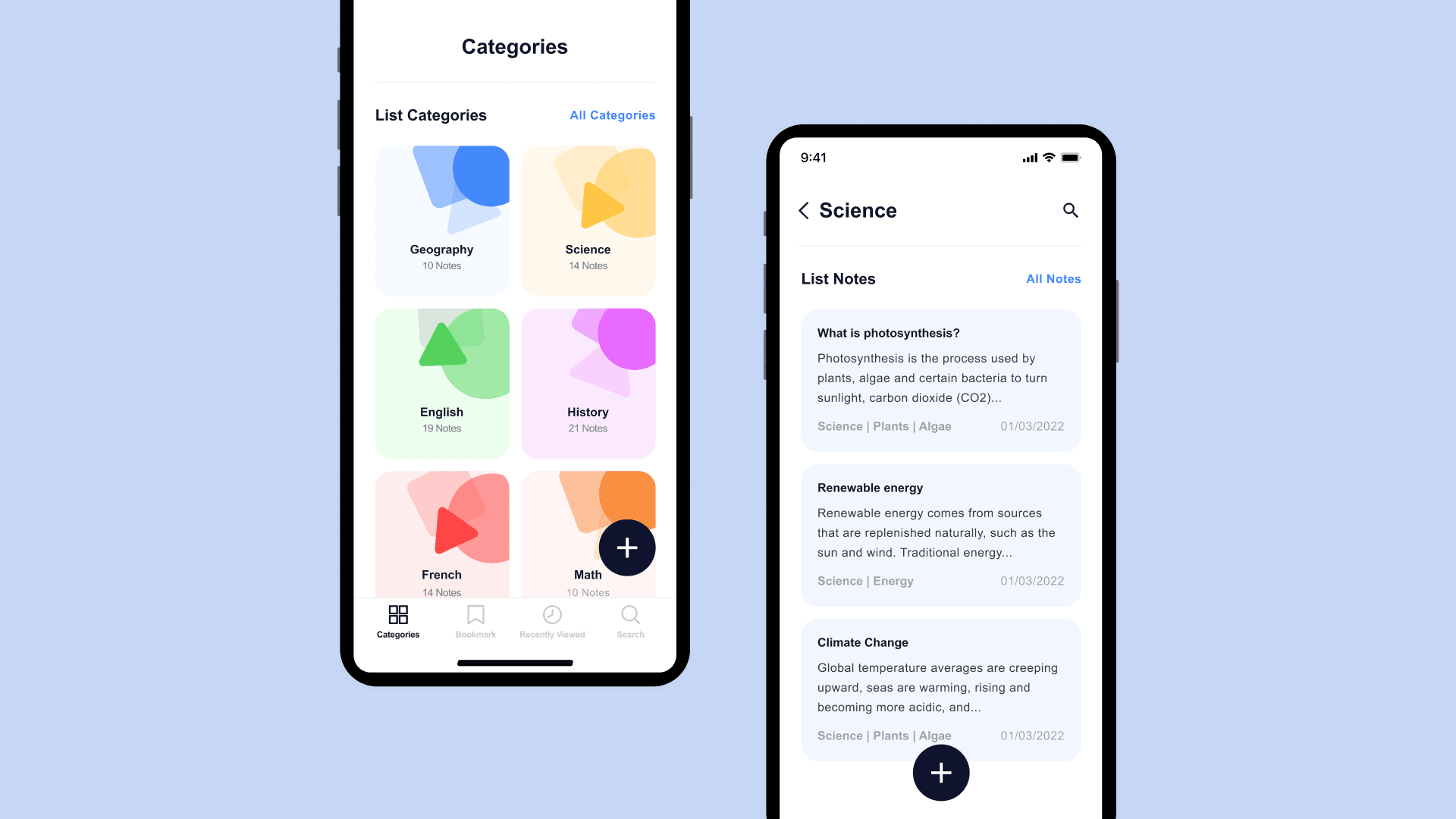
Emphasizing on speaking & hearing
Dyslexic students have difficulty taking notes the conventional way. Lexino works on speech to text and speech processing for retrieving data. The application provides Dyslexic friendly fonts such as Arial or Verdana.
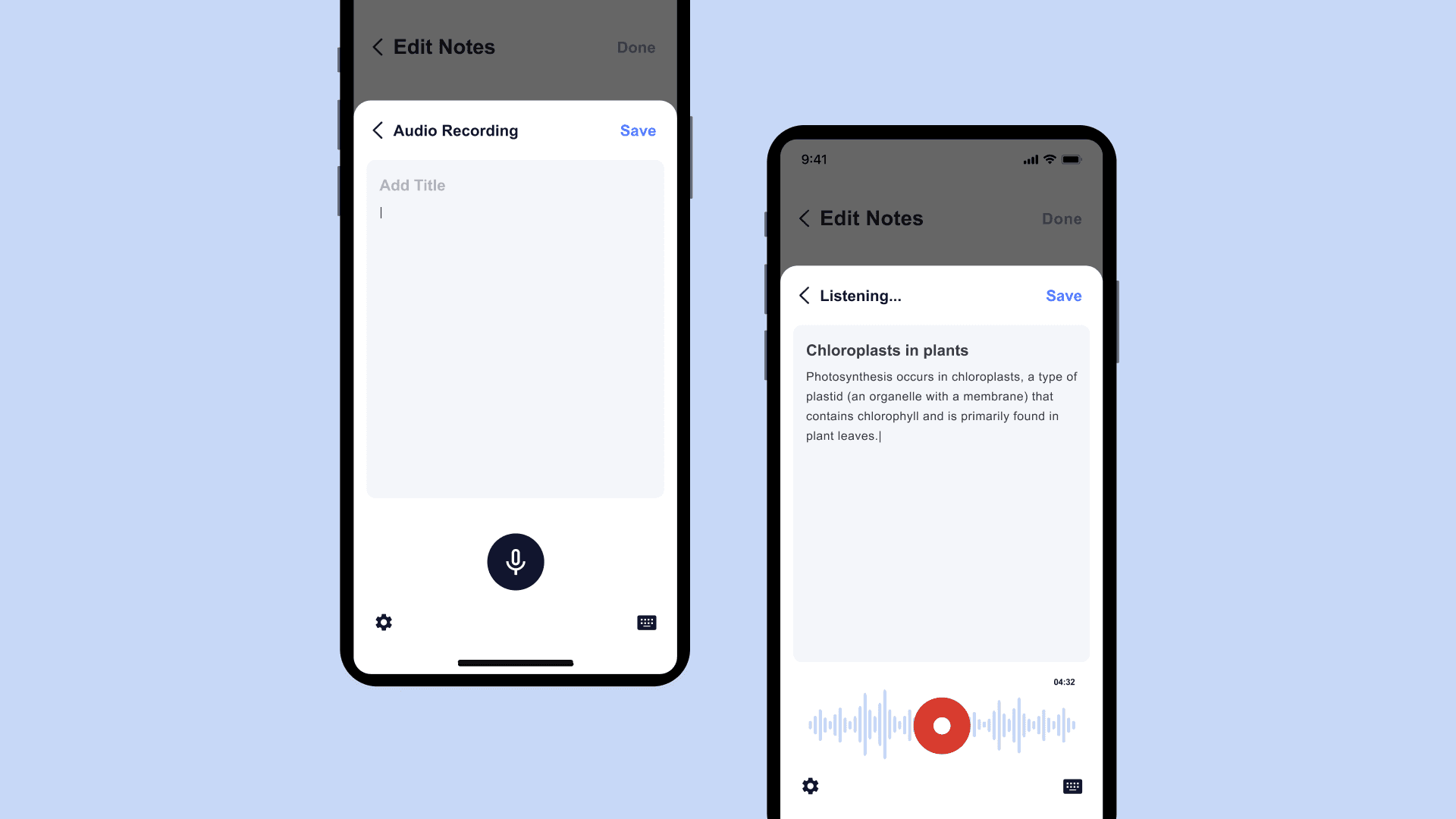
Create labels for text and audio
More than just a recording or doing language processing in a large file. The solution includes embedding metadata like labels, annotations etc. into the file for easier access.
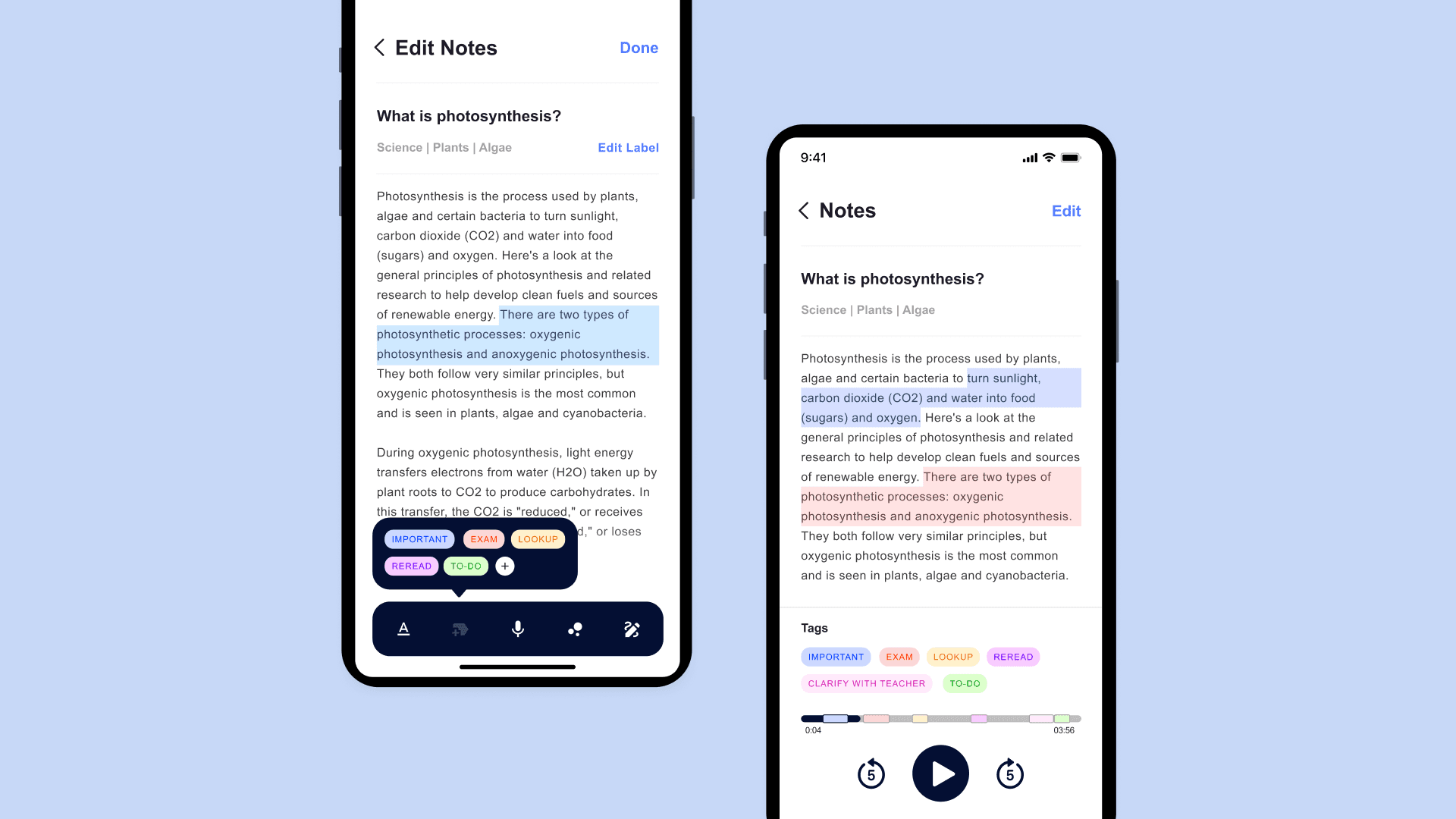
User Feedback
After reviewing the mobile application with users and advisors, I decided to make a couple of changes 1. Build out an tablet version of the application 2. Use Lexend as the primary font for better readability
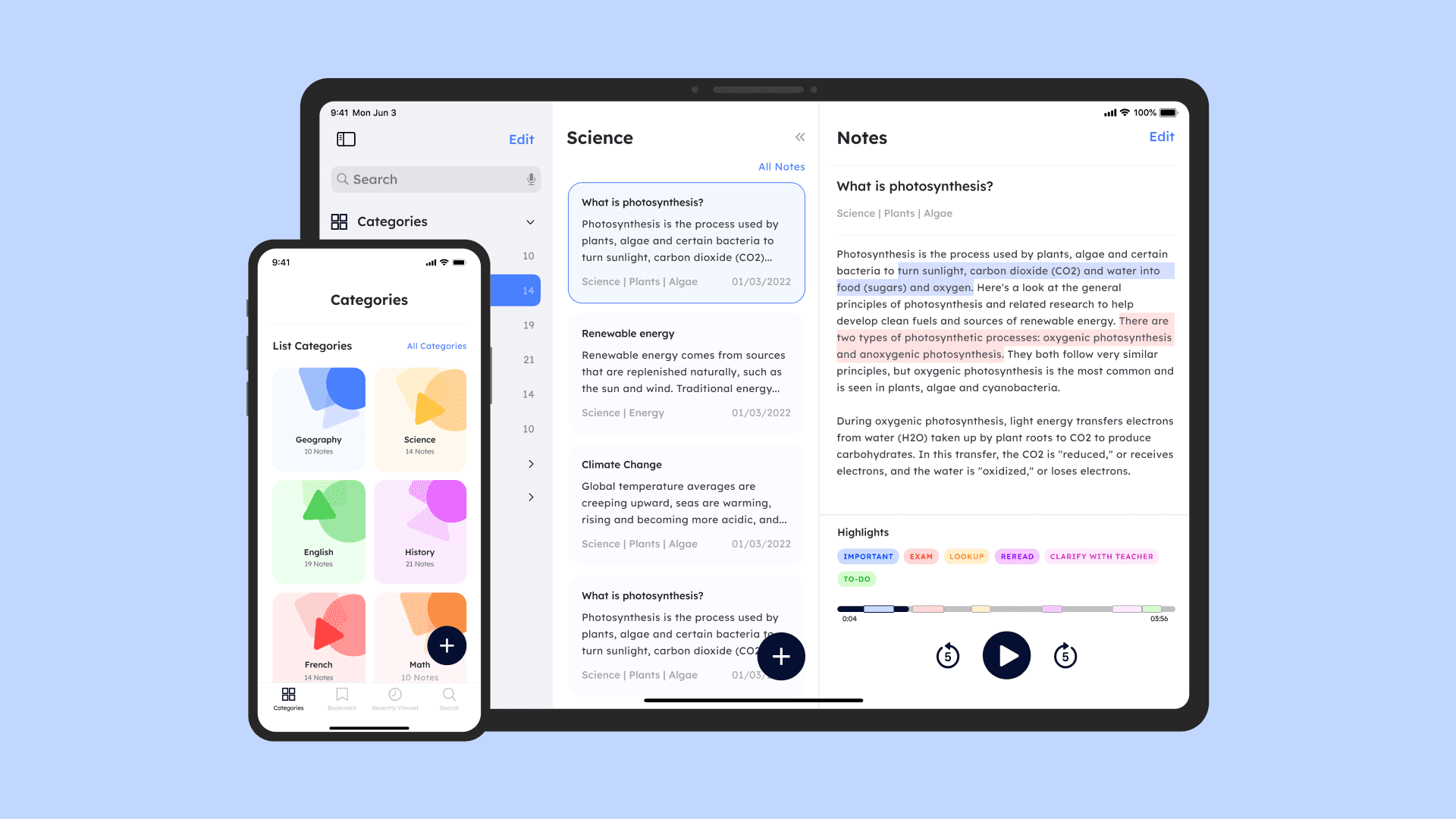
The Solution
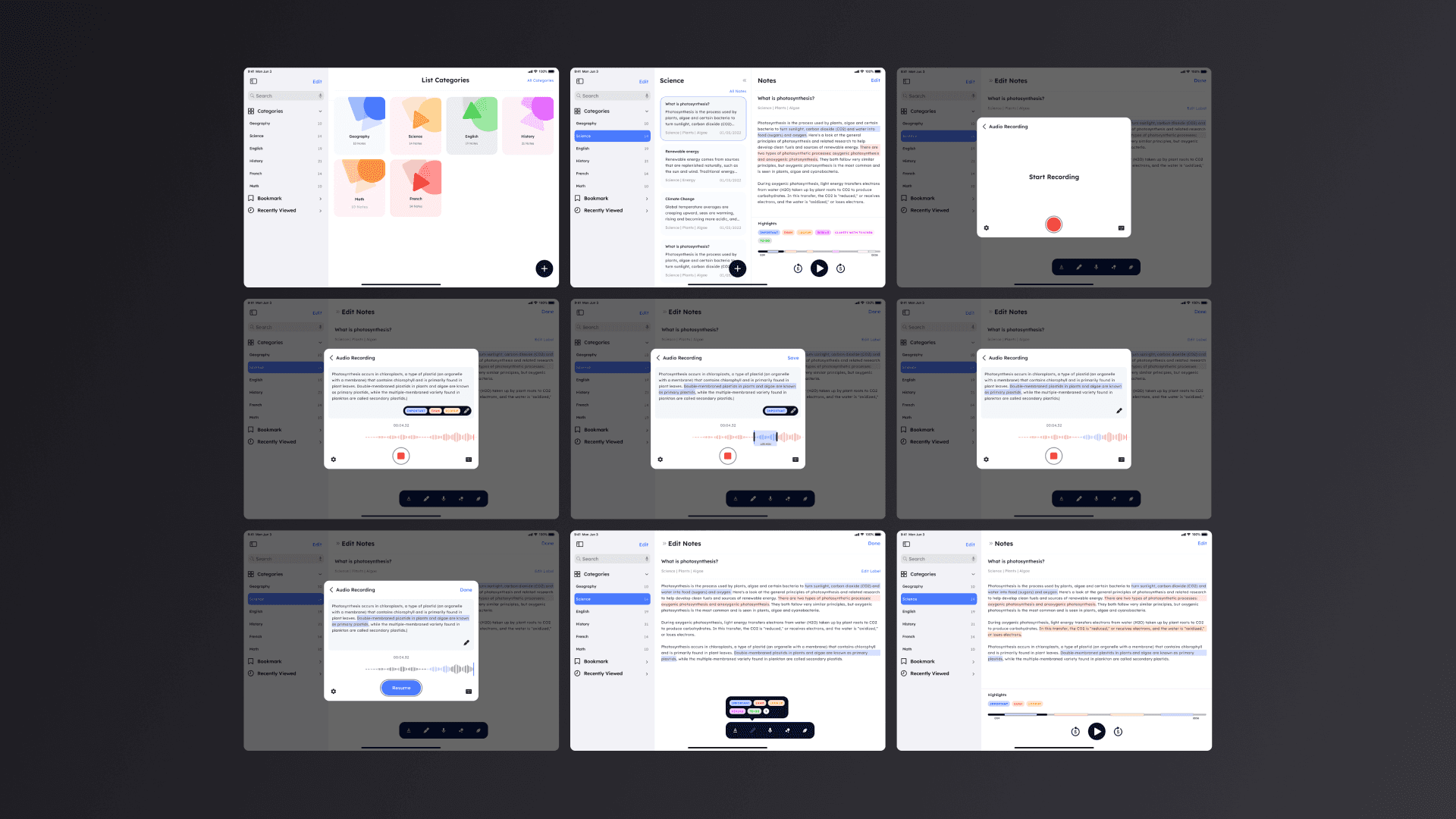
The new prototype shows how the application use case works better on a tablet screen and how using the Lexend font can change the readability
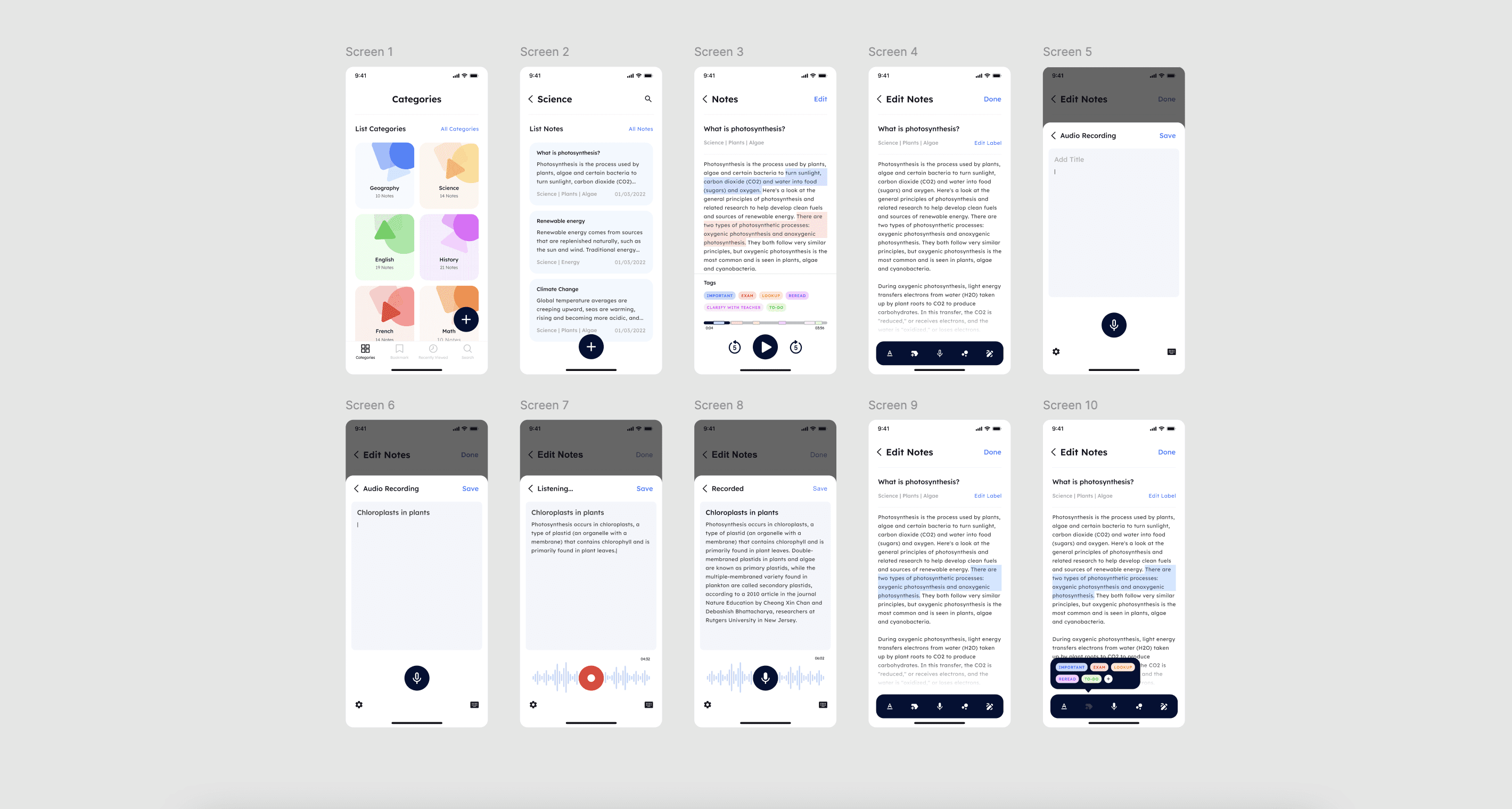
Content management & categorization

Begin audio recording

Start recording

Review and end recording

Labels for recorded notes

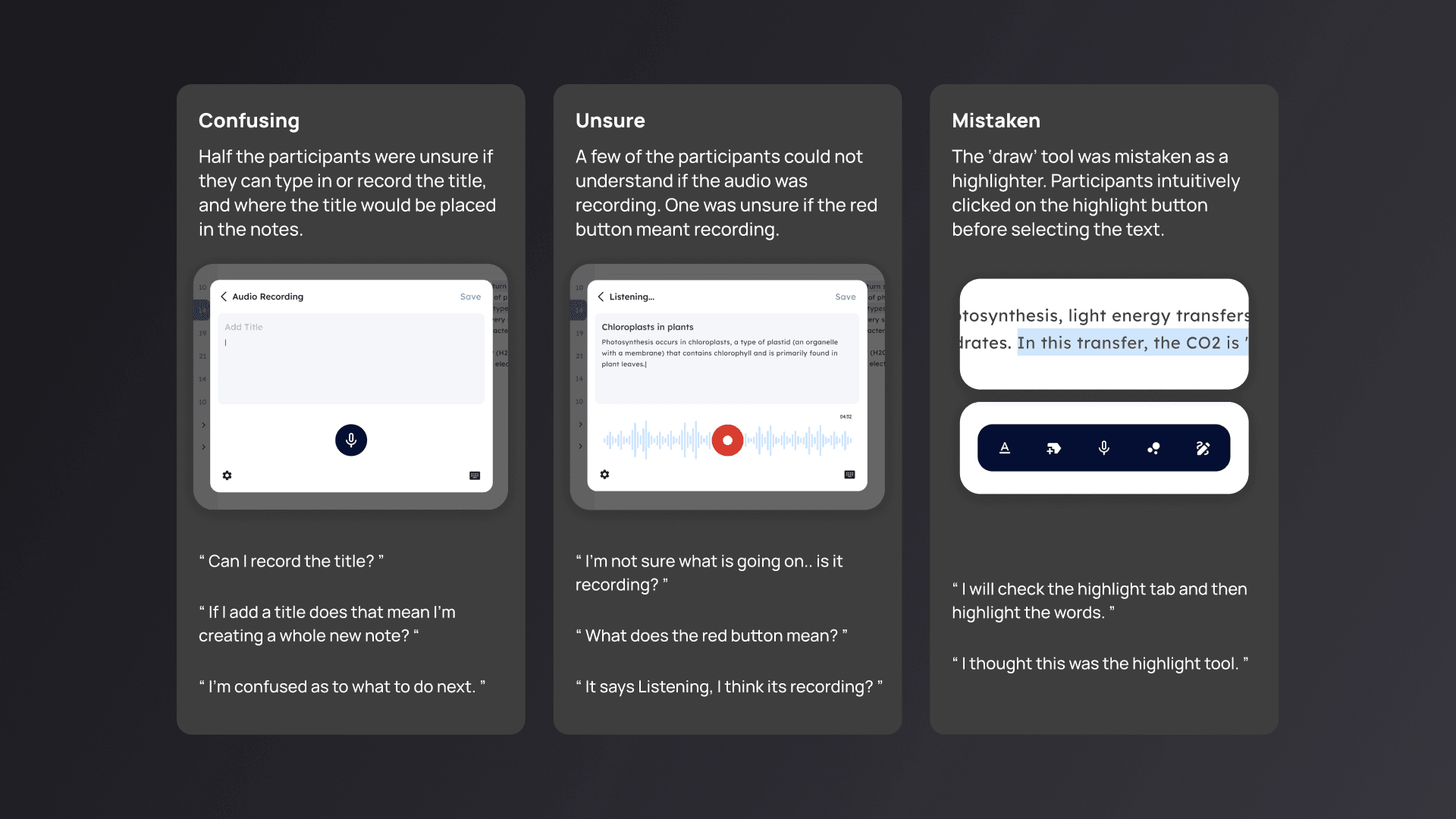
User Testing
By testing with 5 participants, I validated my assumptions and identified three usability issues
Design Iteration
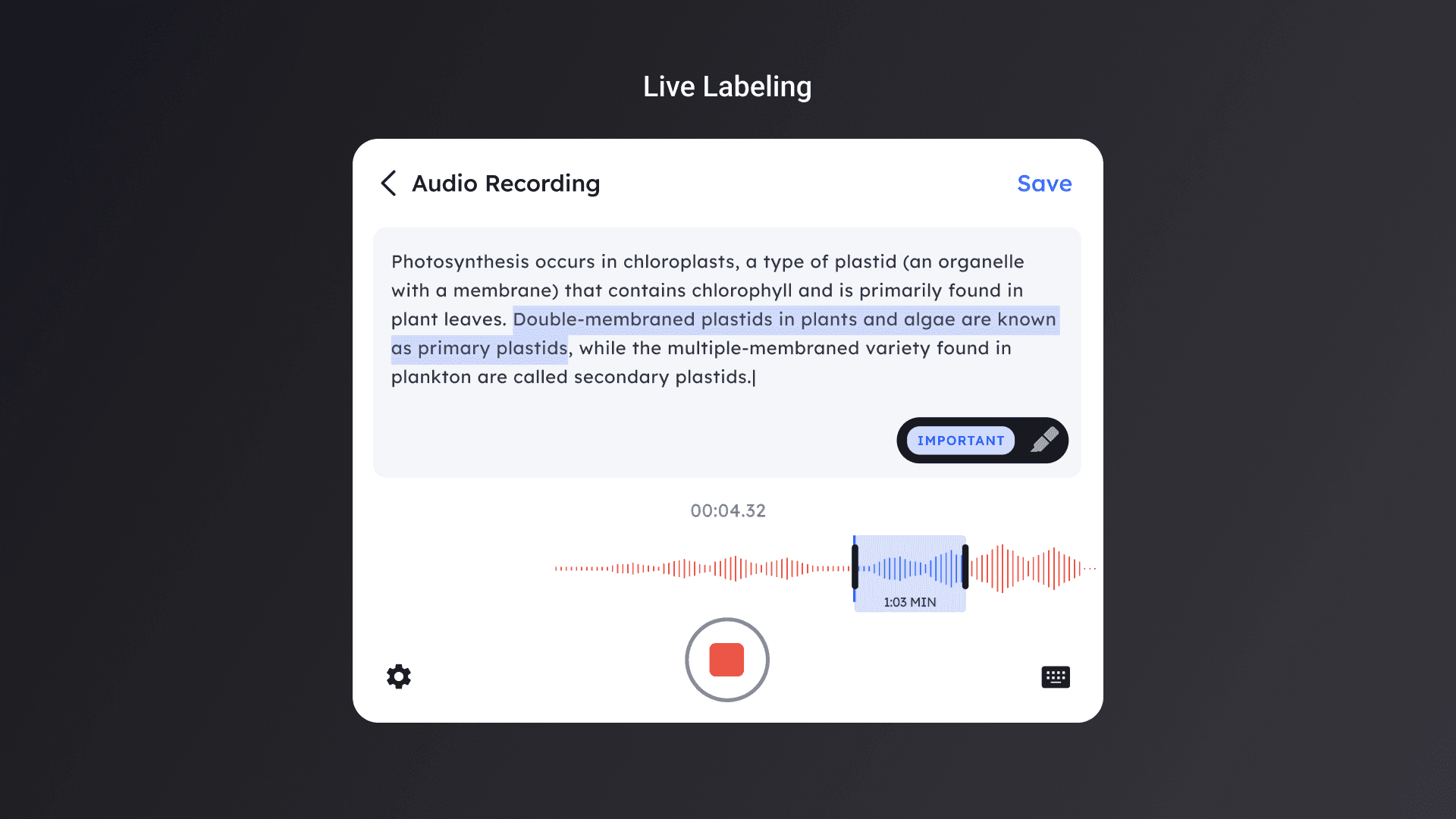
I iterated on my design based off the pain points from user testing. Many users also mentioned it would be helpful for them to make highlights while recording to get the important takeaways during lectures. I added this as an extra feature called Live Labels. The application lets students annotate and categories content without interrupting the live processing. The changes are then incorporated into the sound metadata.
Integrated Design Changes
Take-Aways and Next Steps
1. Dyslexics experience different levels of disability, so interviewing a spectrum of Dyslexics was helpful designing for accessibility. 2. Consider how visual representations, such as images, sketches and mind maps will be added and show up from the visuals tab.