US National Park Service
Increasing NPS App rating from 4.2 to 4.9 stars
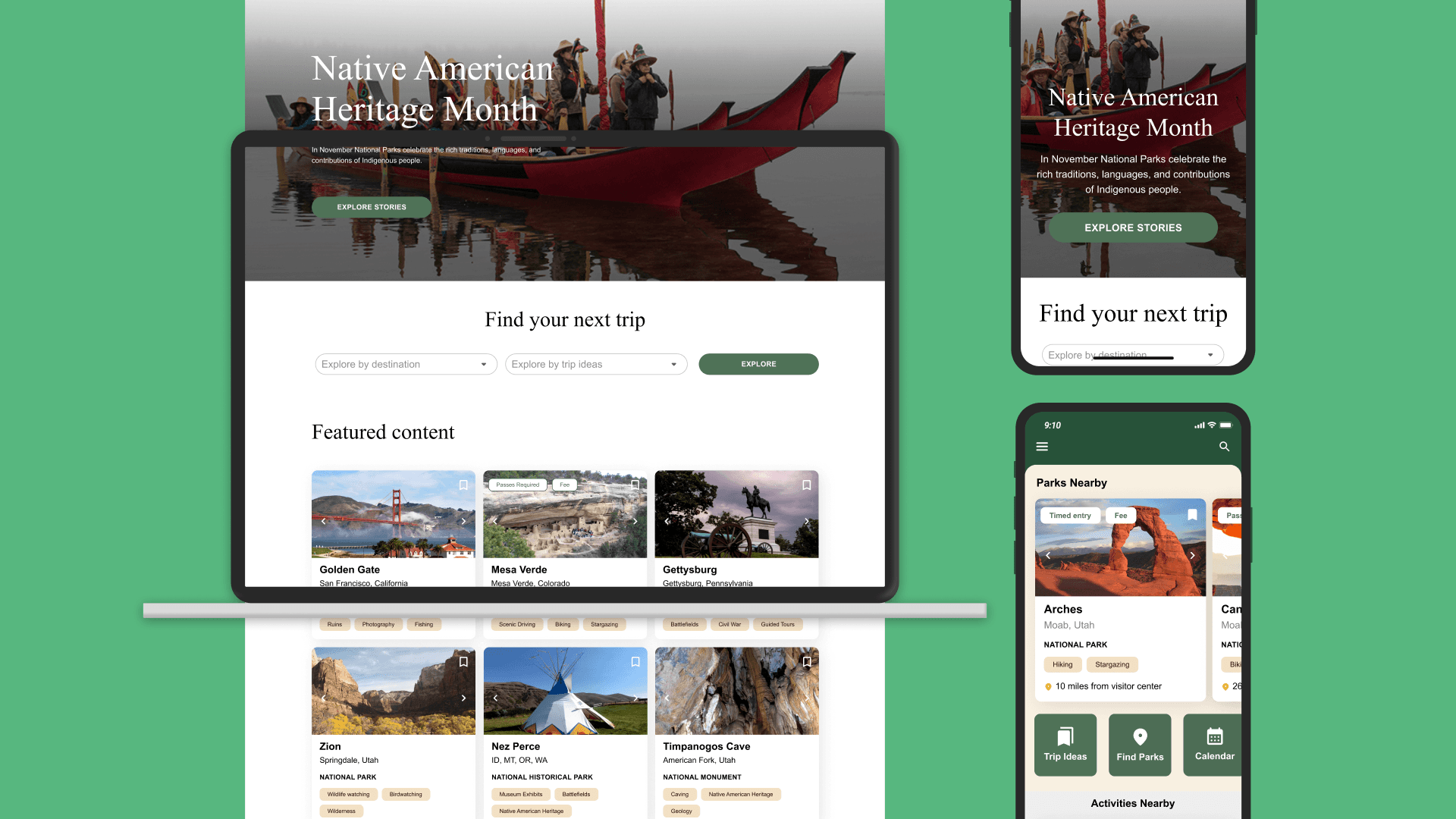
Helping visitors explore, plan, and navigate National Parks effortlessly.
Client
US National Park Service
My Role
UI & UX Design User Research Design System Prototyping
Project Type
Design overhaul
Collaborators
Park Rangers, Content Strategists, Product Managers, Engineers, National Parks Digital Team
Creating the Minimum Viable Product (MVP)
Visiting a national park should be seamless, but outdated digital tools made planning cumbersome. We built a user-friendly trip planning platform that helps visitors find parks, plan experiences, and navigate in real time—whether online or offline.
Problem Statement
Visitors had trouble setting specific trip criteria when searching for a national park. Information such as entry costs, directions, and logistics were often buried in lengthy or scattered pages. How might we give visitors an easier and friendlier way to search, filter, and quickly access relevant park information? How might we help them get the information they need to feel prepared and enthusiastic about their visits?
The Solution
We created a welcoming content strategy supported by intuitive filtering options that place priority on relevant details. In the new design, visitors can easily save parks and activities they're interested in across both the NPS website and mobile app. By providing straightforward access to essential trip information, we help visitors confidently enjoy the planning process and set the stage for meaningful visits and future adventures.
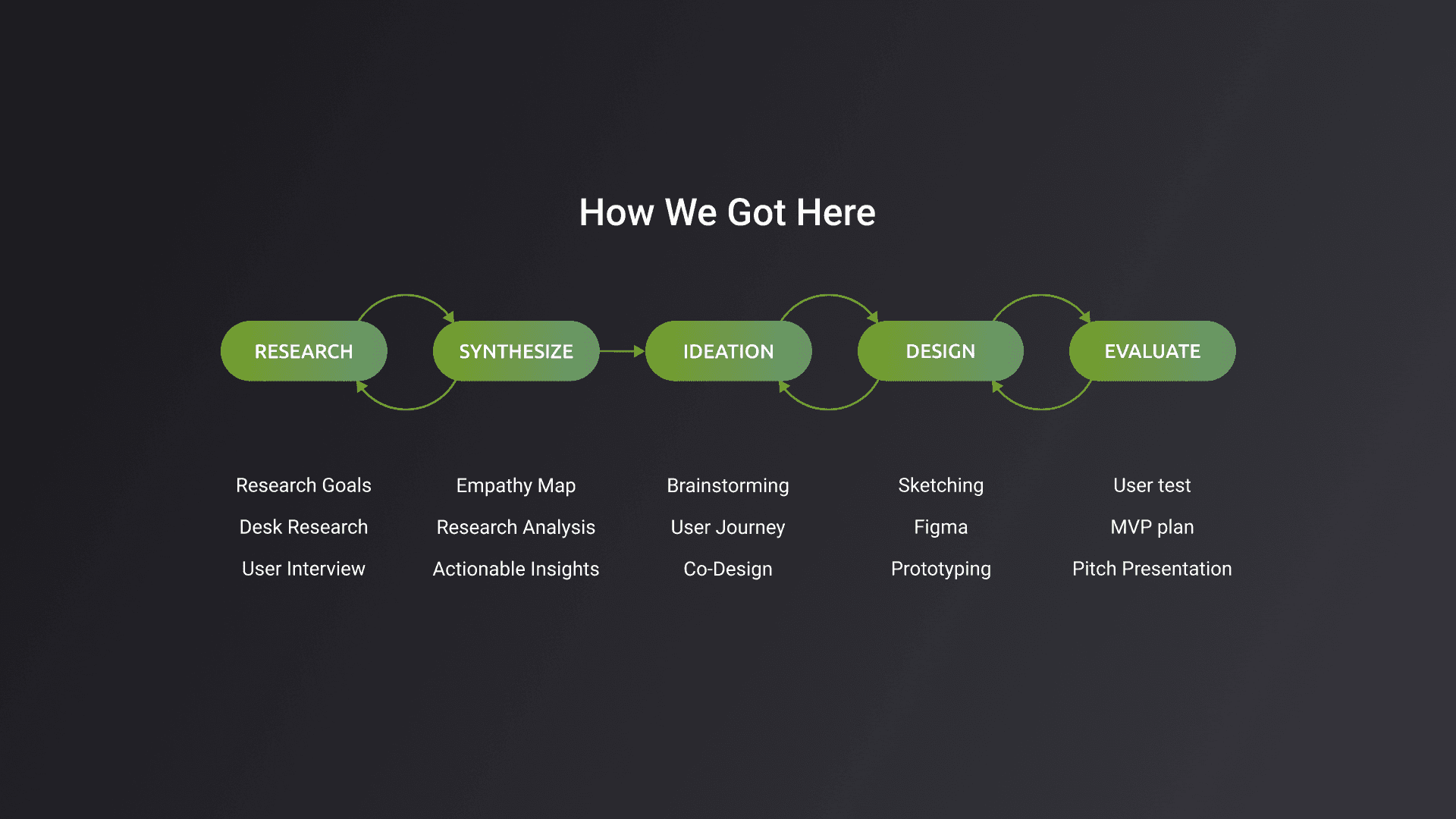
Research and Testing
I interviewed 30+ park visitors, rangers, and content managers to understand trip planning behaviors in collaboration with my team. Our key areas of focus: 1. How users searched for parks and planned trips 2. Pain points in navigation, offline access, and information retrieval 3. Opportunities to enhance engagement before, during, and after the visit
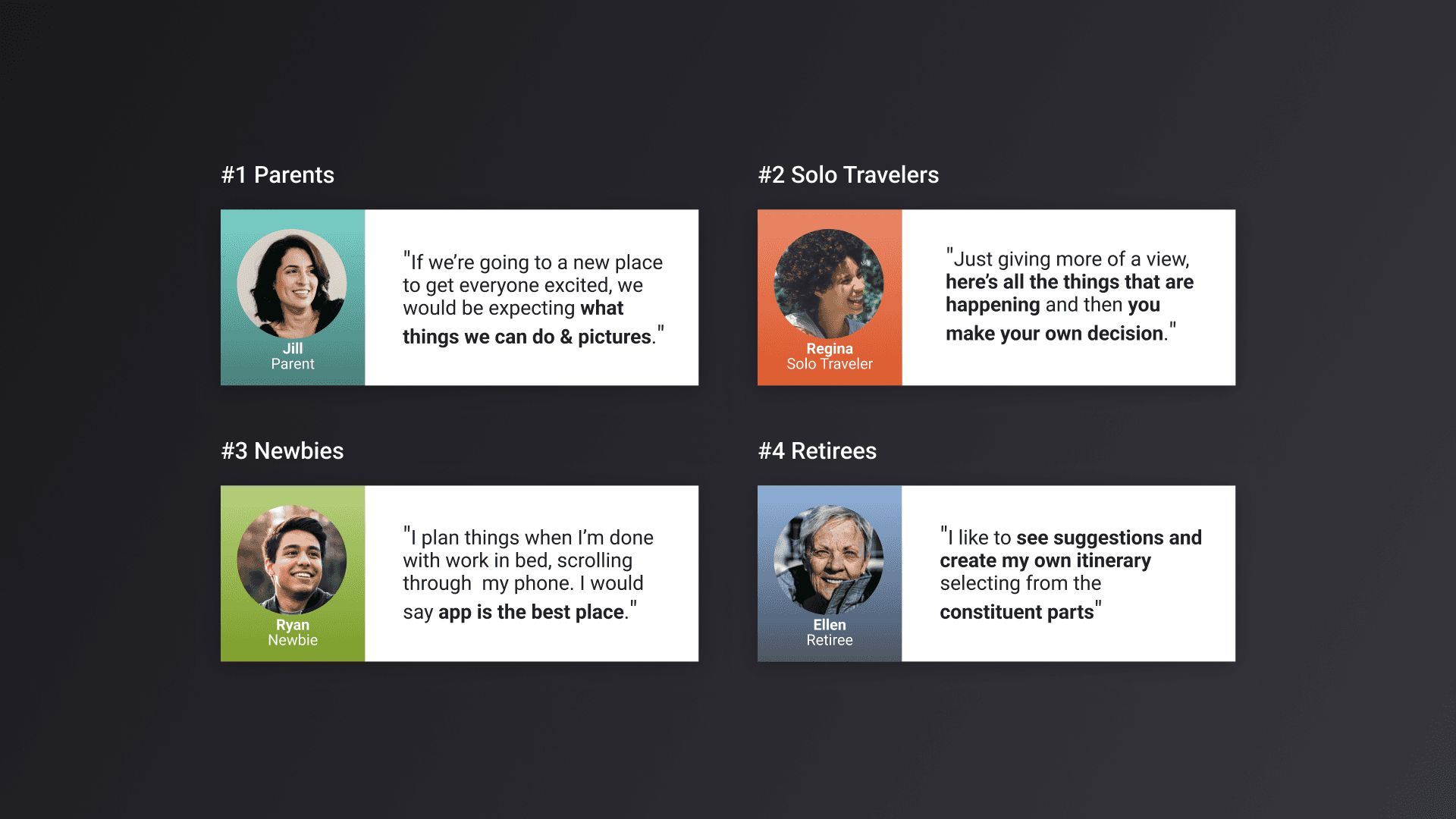
Qualitative Interviews
I laid out the needs of multiple user types. I worked with researchers to interview and gather challenges faced by users and how they see the product making a difference.
Insight
Based on initial research we designed a scalable MVP featuring: 1. A personalized trip planner with itinerary tools, recommendations, and checklists 2. Enhanced search filters to help users find parks based on interests and accessibility needs 3. Offline-friendly features, including saved guides, maps, and notifications for in-park use 4. Separately we delivered an AI proof of concept for filtering, that surfaced the most relevant and preferred results to the user We took these designs to testing to refine and iterate.
Site Architecture
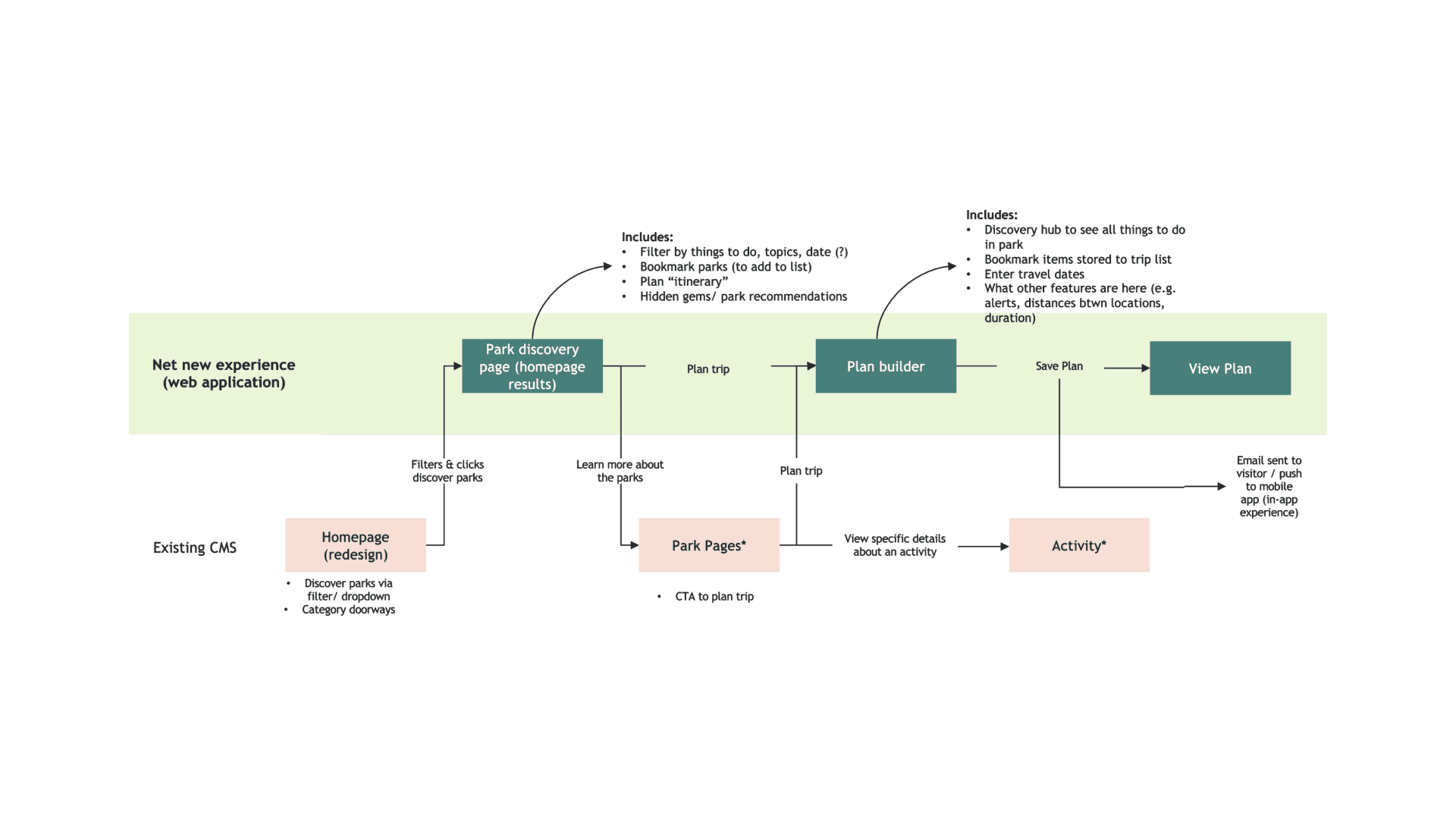
The solution to the disjointed site architecture was to make improvements to exiting CMS site, in the homepage, park pages and filtering results, and creating additional experiences in API, a park discovery board to bookmark and save activities and content.
Conceptualization
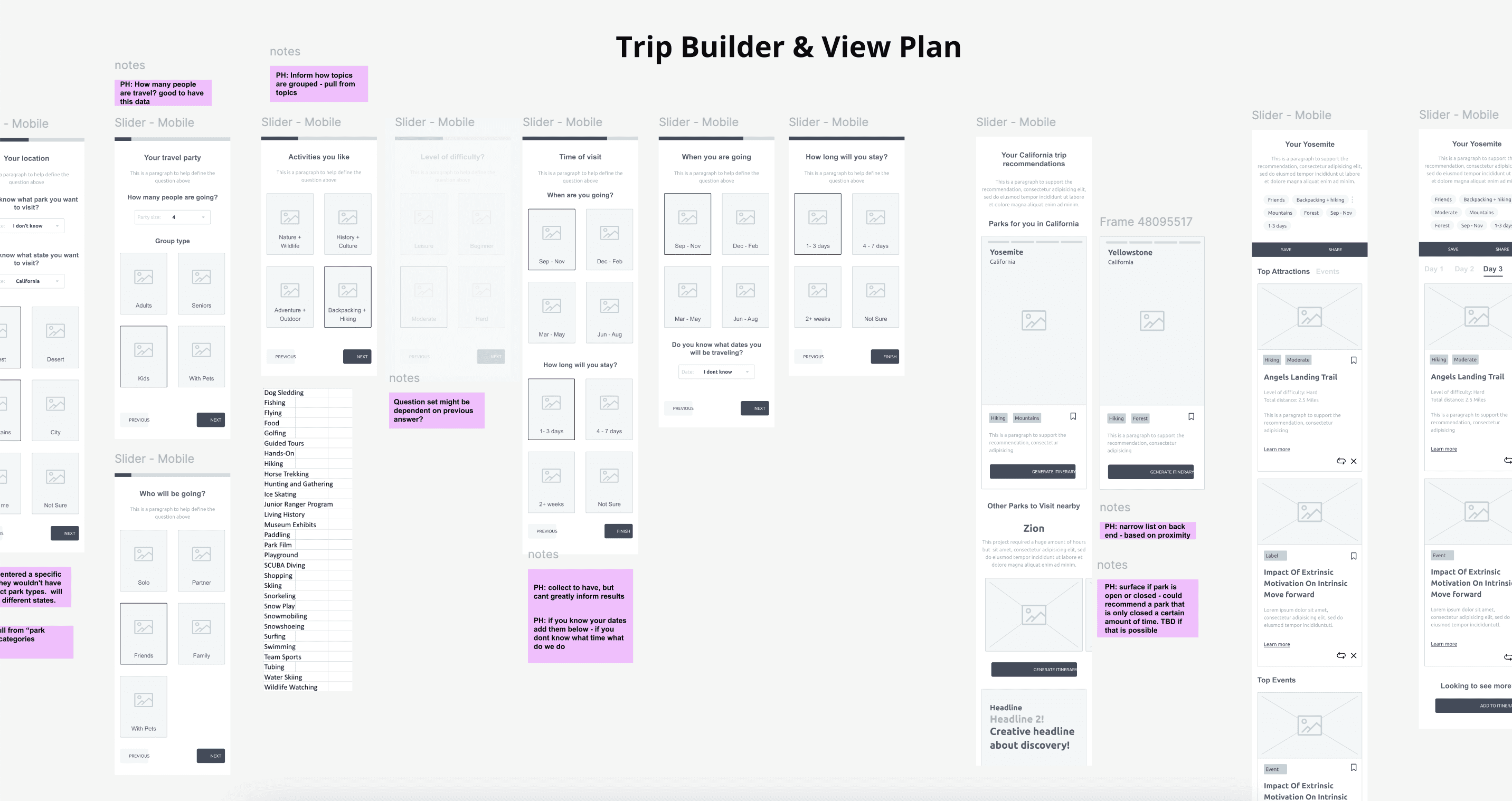
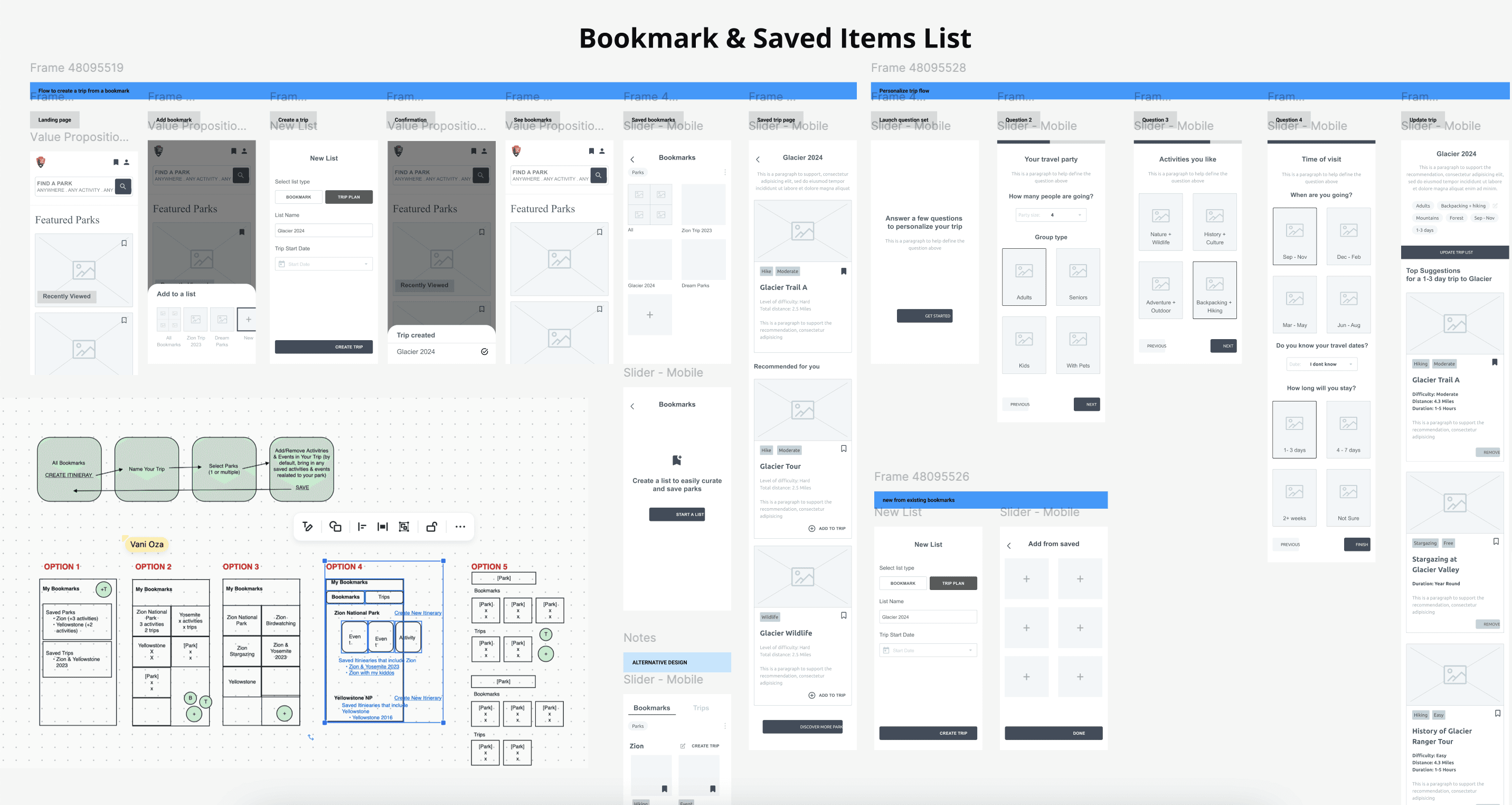
I started creating the information architecture and low-fi concepts for primary use cases. After conducting usability tests with the low-fidelity mockups, I began digitalizing designs.
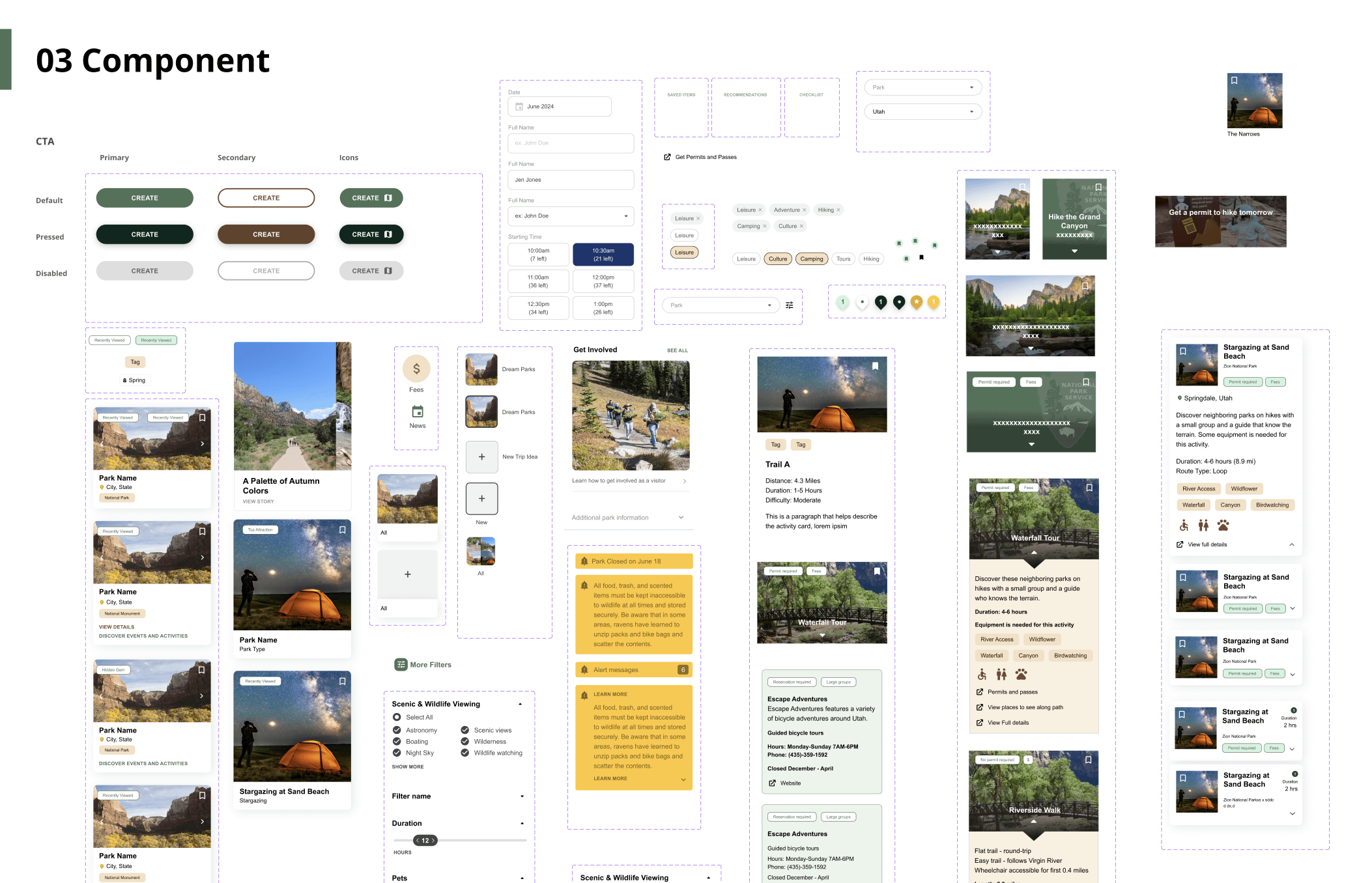
Design System
I then balanced new and existing elements to shape and define the digital design system and guidelines.
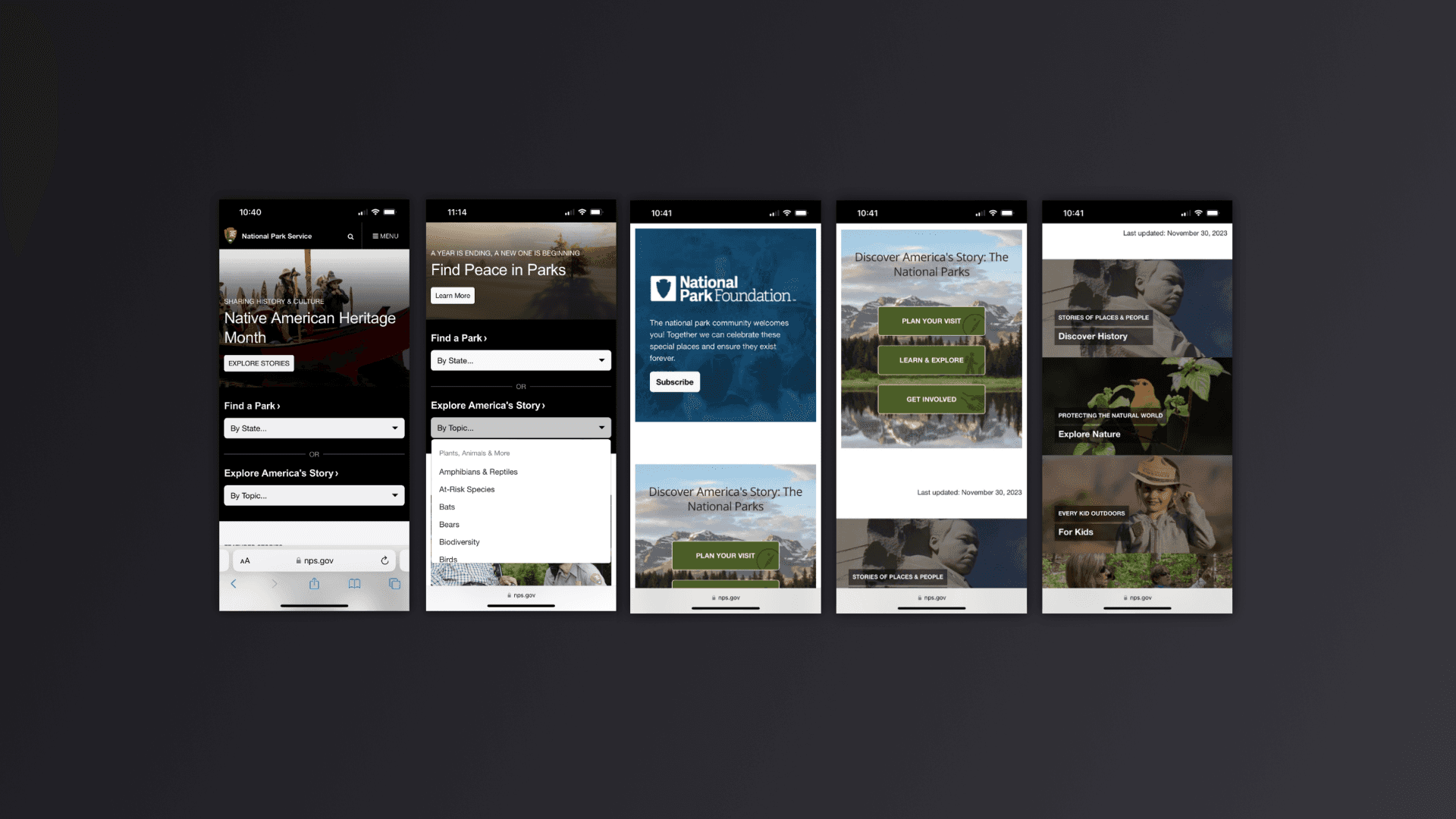
Existing Site
The screenshots illustrate the current user experience for park discovery on the NPS.gov site
The Solution
National Park Service (NPS) website and app makes it easy for visitors to discover, plan and save parks and activities they would like to do based on their specific interests and time of visit. The design allows park visitors to get essential visit details, make reservations directly from the app, prepare and get alerts on traffic, weather and opening hour changes all in a consolidated place.
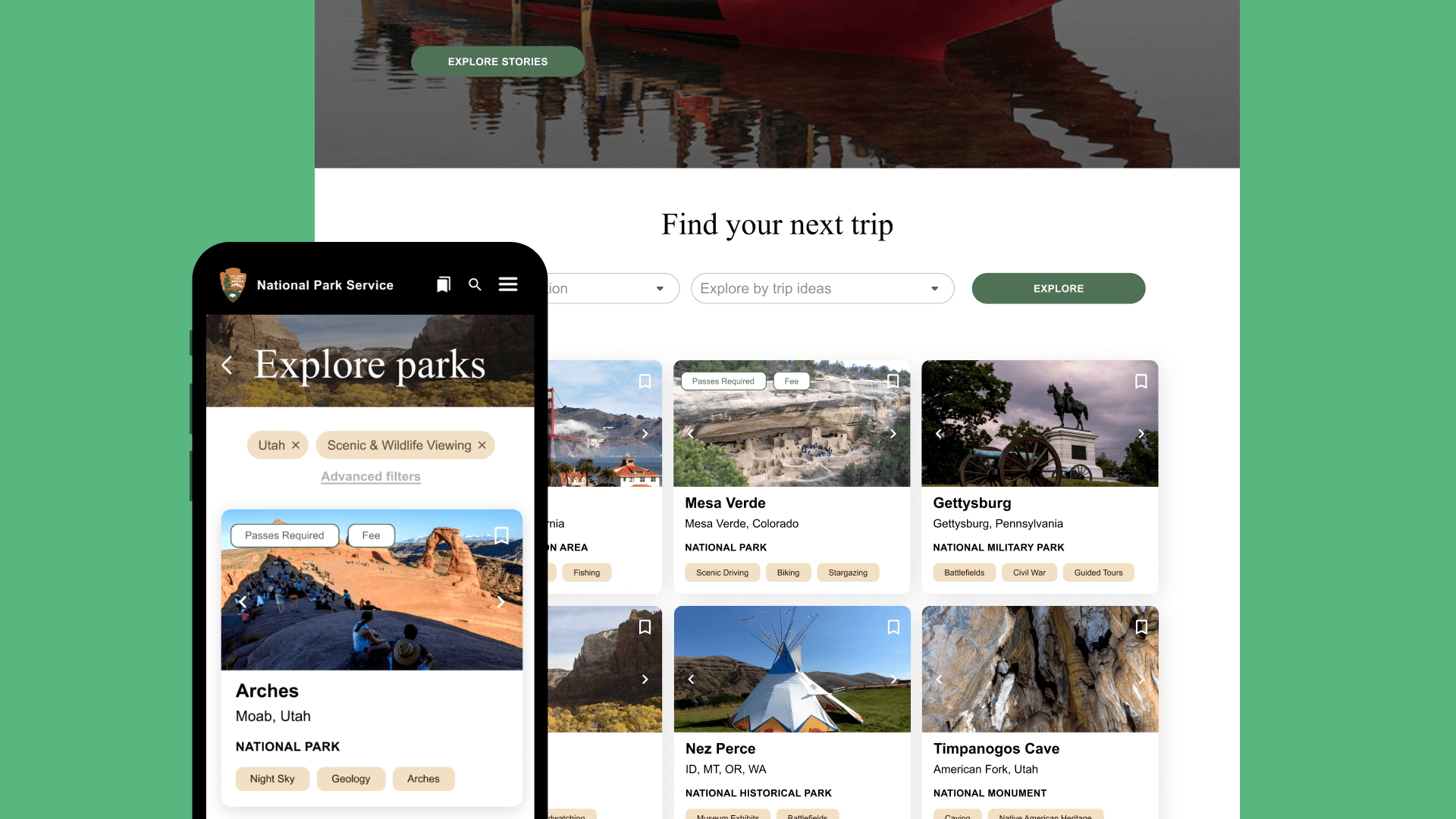
Explore parks
Visitors can customize their discovery by filtering and search parks by state, park name and trip type. The platform offers concise information and map views, along with personalized suggestion based on visitors preferences and choices.

Discovering and Bookmarking activities
Explore a variety of activities, events, and other attractions through the discovery board with image driven experiences and get key information up front such as fees or permits at a glance. Easily prioritize discovery with filters, and bookmark activities to a trip plan.

Trip ideas planning and Pre-trip checklist
Easily and seamlessly create trip ideas where users can view, manage, save, edit and share trip plans, fostering a sense of community with everyone in the travel group. Receive an auto-generated pre-trip checklist with relevant passes, permit, parking information as well as links, what to expect and how to get there.

Notifications and alerts
Stay updated and plan ahead with notifications and timely alerts on weather forecasts, alerts. When it’s close to the trip date, a Trip Reminder is sent through email with all relevant information and a prompt to download the NPS application to get ready for the in-park experience.

Digital passes and reservations
Purchase and access passes offline and on the National Park Service App, through integration of the Rec.gov site that will enable a unified pass booking experience.

Future state - Itinerary Planning
Organize activities by day, weather, driving distance and proximity on the map and list view, through the integrated map functionality and data.

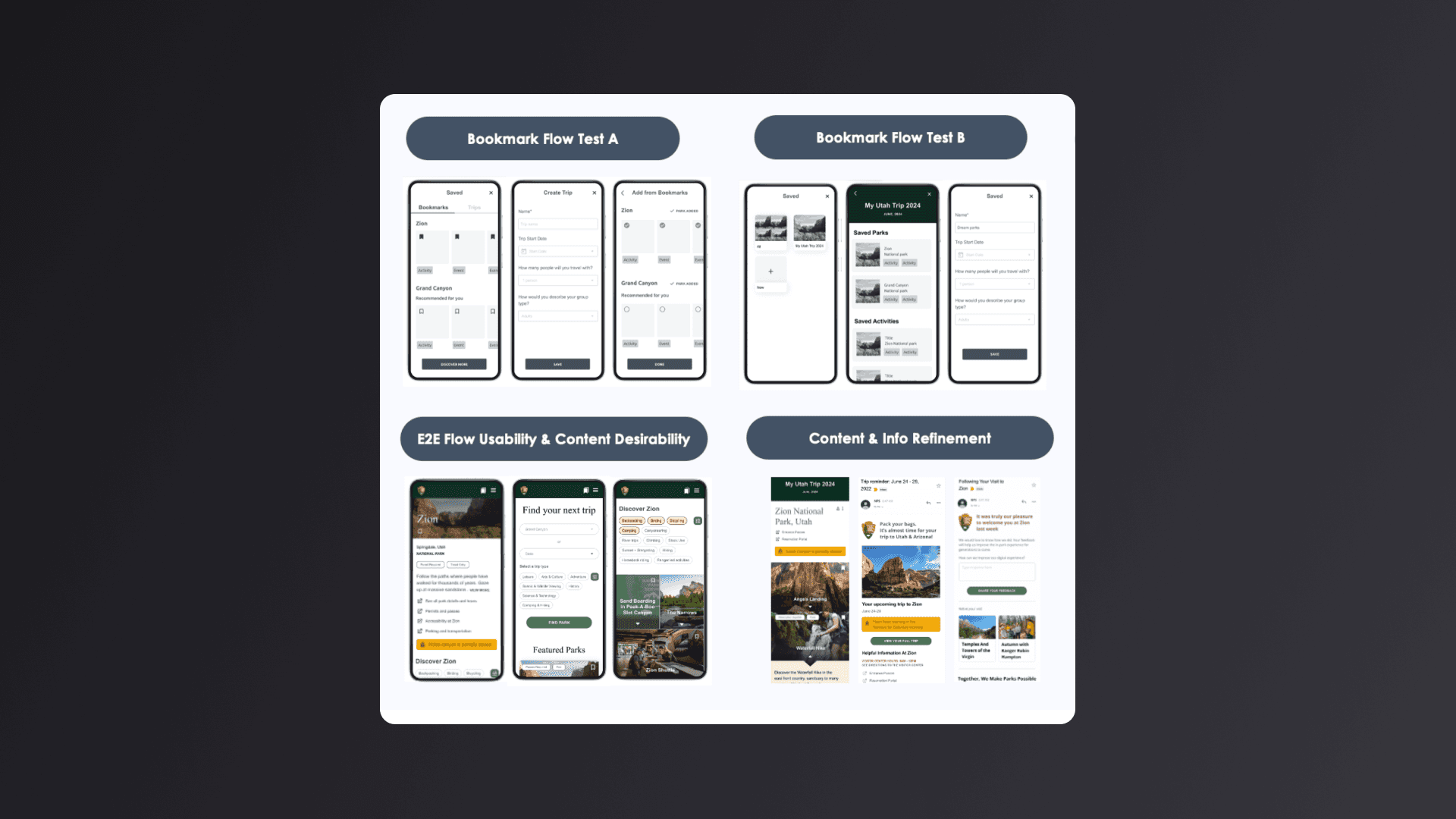
Usability Testing
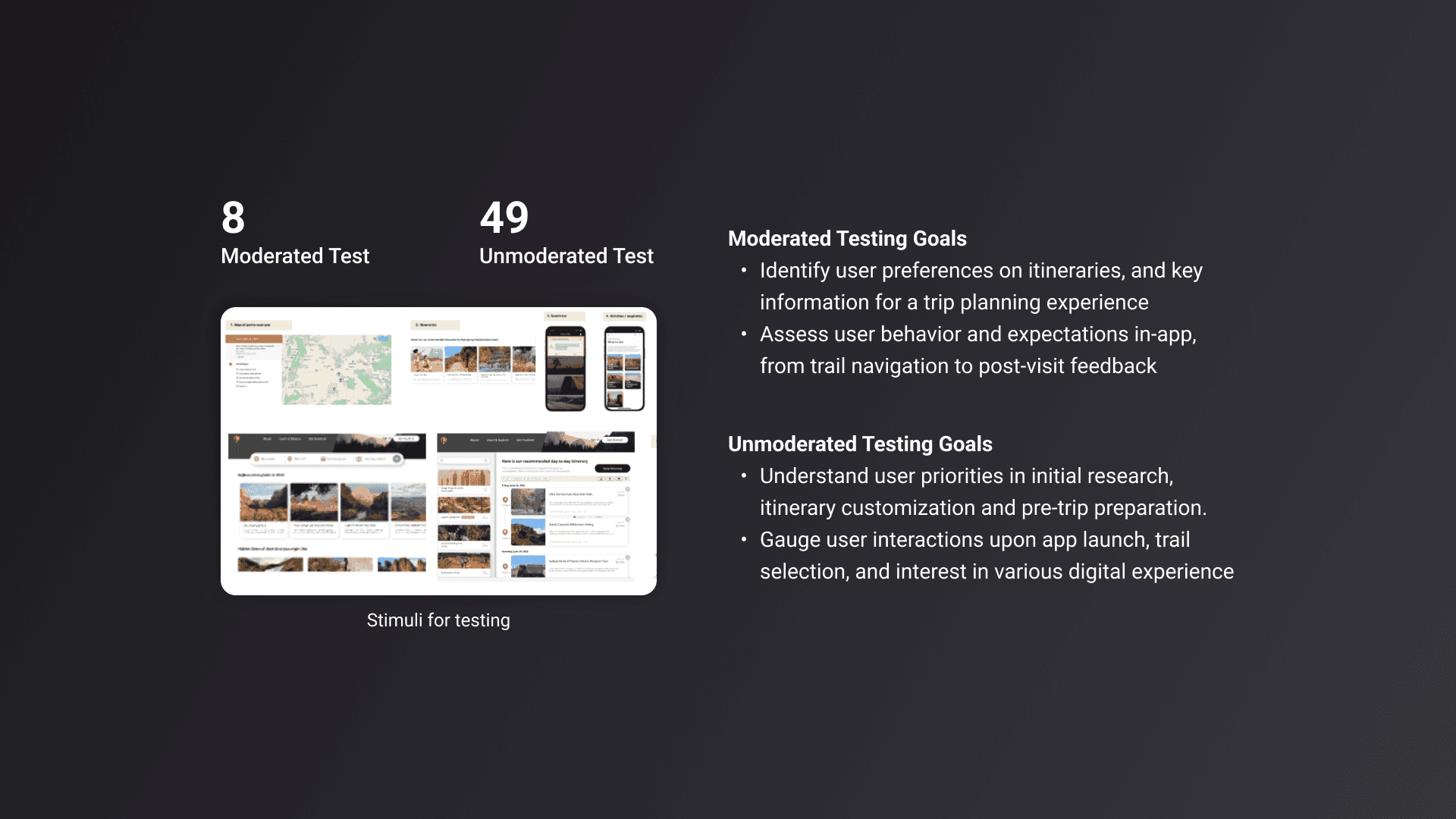
I tested the product at various stages of the project to assess MVP usability and content desirability Usability & Desirability Testing Goals: • Lo-fi prototypes - Assess functionality and interactivity for bookmarking flow • Unmoderated User Testing - Review usability of End-to-End flow • Beta Testing - Content and information refinement in trip planning, pre and post trip emails
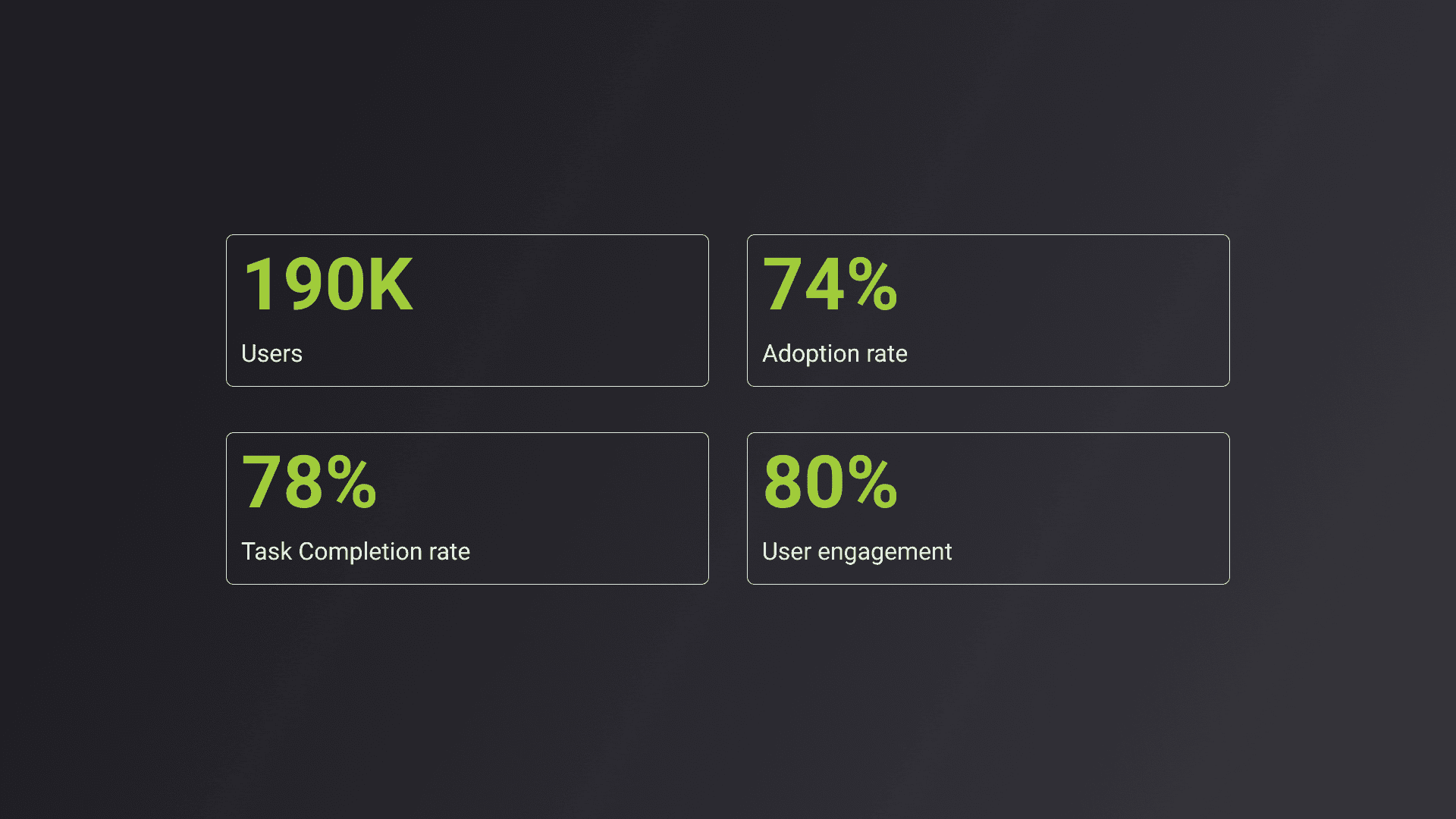
Seeing Results
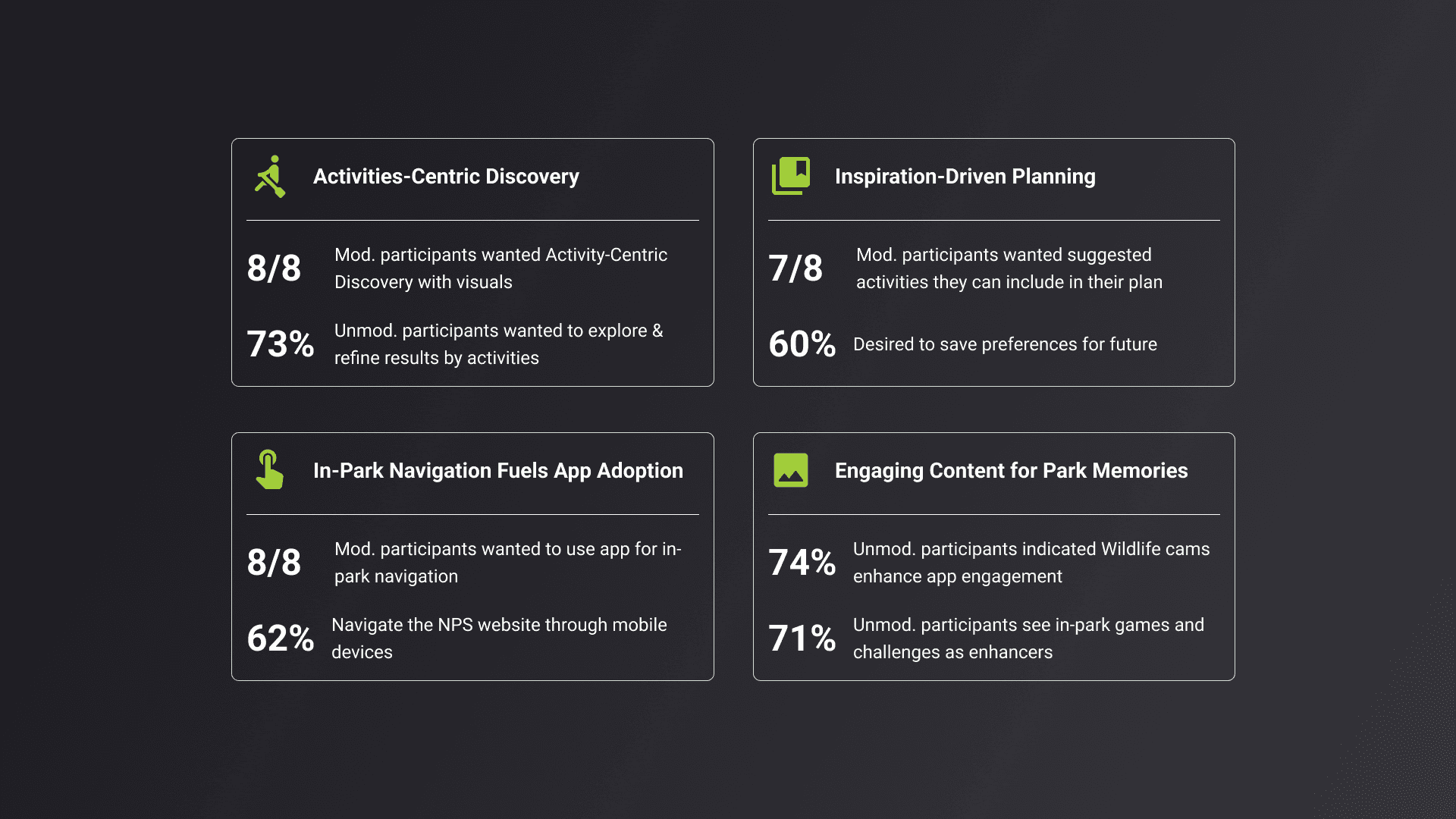
After testing, we were excited to pull in data to make more informed design decisions for future iteration
Project Learnings
1. Clarity through information hierarchy Prioritizing key content ensures users find what they need quickly. Using visual weight (size, color, spacing) helps guide attention as well as grouping related elements to reduce cognitive load. 2. Prioritize Develop a strategic plan for launching an MVP to manage scope, prevent project derailment, and ensure timely delivery of a high-quality product. 3. Seek out feedback early and continuously Keeping users and stakeholders informed while continuously testing solutions—whether through paper sketches, low-fidelity prototypes, or high-fidelity prototypes—helps save significant time and reduces rework.